HashMap In Java With Example
// BUILDING THIS WITH AN AI AGENT (2026)
Whether you are using Claude Code, Cursor, Windsurf, GitHub Copilot, Gemini Code Assist, Aider, or Cline — the productive pattern for production code in this space is: scaffold first, then ask for the idiomatic refactor. The prompt sequence:
- Scaffold. “Generate a basic working implementation. Don’t worry about elegance. Just get the happy path correct.”
- Ask for idiomaticity. “Refactor this to be idiomatic for the framework version I’m using. Specifically use [records / constructor injection / @Configuration / proper exception types / etc].”
- Test generation. “Add tests covering the happy path and 3 realistic edge cases. Use the testing conventions of the codebase.”
- Document the public API. “Add doc-comments on the public methods explaining what callers can and can’t assume.”
Agents are good at idiomatic code when you explicitly ask — they default to older patterns otherwise.
Here we will learn about the Java HashMap class with an example along with the functions provided by the Java HashMap class which resides in the Java util package.
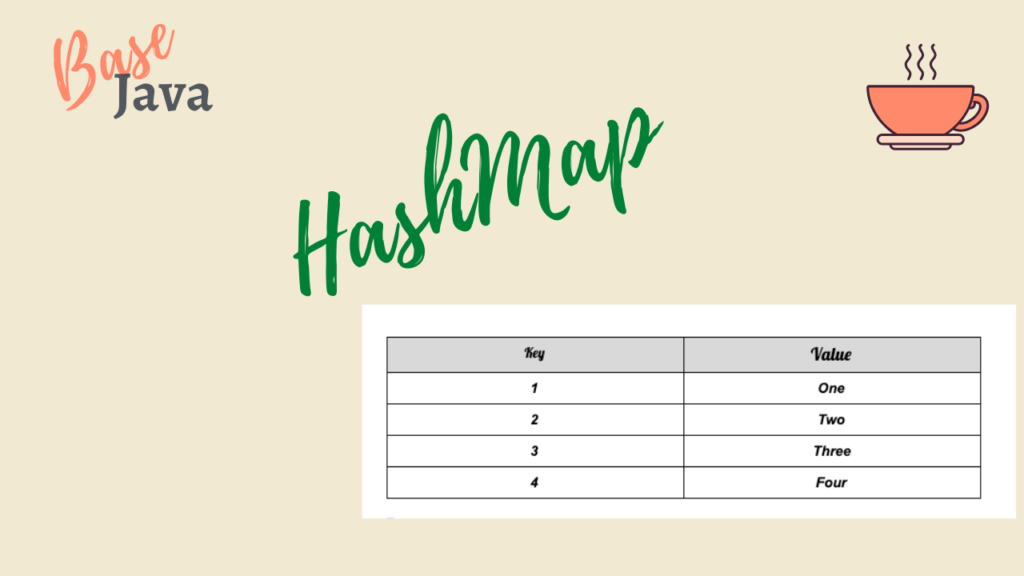
The Java HashMap class implements the Map interface, which is used for storing key-value pairs. HashMap is represented as HashMap<Key, Value> or HashMap<K, V>, the key and value can be of different data types.
HashMap works on the principle of Hashing(is a way to assign unique code to variable/Value)
Properties of HashMap
- HashMap cannot contain duplicate keys.
- HashMap is an unordered collection.
- HashMap allows null values and null keys.
- HashMap is not thread-safe.
Creating HashMap
HashMap can be created from a Map interface or from another HashMap. below are two ways HashMap can be created.
import java.util.HashMap;
import java.util.Map;

public class HashMapDemo {

	public static void main(String [] args) {
		HashMap<Integer, String> mapOne = new HashMap<>();
		mapOne.put(1, "One");
		mapOne.put(2, "Two");
		mapOne.put(3, "Three");
		mapOne.put(4, "Four");
		System.out.println(mapOne);

		Map<Integer, String> mapTwo = new HashMap<Integer, String>();
		mapTwo.put(5, "Five");
		mapTwo.put(6, "Six");
		mapTwo.put(7, "Seven");
		mapTwo.put(8, "Eight");
		System.out.println(mapTwo);
	}
OutPut:
{1=One, 2=Two, 3=Three, 4=Four}
{5=Five, 6=Six, 7=Seven, 8=Eight}
HashMap Methods
- put(k, v) : add values to HashMap.
- remove(k): remove value with key “k“.
- get(k): gets the value of key “k“.
- clear(): clears the HashMap, makes it an empty HashMap.
- size(): returns the size of HashMap.
- containsKey(k): returns a boolean value true or false, depends on if key presents in the HashMap.
- conatinsValue(Object value): similar to containsKey it checks if the specified value is present or not.
- isEmpty(): checks if the HashMap is empty or not.
import java.util.HashMap;
import java.util.Map;

public class HashMapDemo {

	public static void main(String [] args) {
		HashMap<Integer, String> mapOne = new HashMap<>();
		mapOne.put(1, "One");
		mapOne.put(2, "Two");
		mapOne.put(3, "Three");
		mapOne.put(4, "Four");
		System.out.println(mapOne);

		Map<Integer, String> mapTwo = new HashMap<Integer, String>();
		mapTwo.put(5, "Five");
		mapTwo.put(6, "Six");
		mapTwo.put(7, "Seven");
		mapTwo.put(8, "Eight");
		System.out.println(mapTwo);

		//remove method

		mapOne.remove(4);
		System.out.println("after removal : "+mapOne);

		//get method

		System.out.println("using get method to get value of 2 : "+mapOne.get(2));

		//size method

		System.out.println("size of map 2 : "+mapTwo.size());

		//containsKey(k)

		System.out.println("checking contains key "+mapTwo.containsKey(7));

		//containsValue

		System.out.println("checking contains value "+mapTwo.containsValue("Six"));

		//clear
		mapOne.clear();
		System.out.println("printing map after clear function "+mapOne);
	}

}
OutPut:
{1=One, 2=Two, 3=Three, 4=Four}
{5=Five, 6=Six, 7=Seven, 8=Eight}
after removal : {1=One, 2=Two, 3=Three}
using get method to get value of 2 : Two
size of map 2 : 4
checking contains key true
checking contains value true
printing map after clear function {}
For the AI-native engineering side of HackerHeap — building MCP servers, comparing agents (Claude Code, Cursor, Windsurf, Codex, Gemini, Copilot), and weekly working code — see the Friday Build newsletter and the MCP archive.